 Sizewise
How to clear Homebrew, pip and npm caches on a Mac
Package managers keep what they download so the next install is faster, and the downloads add up. Each one has its own command to clear its cache. Read what each removes first: Homebrew’s also removes old versions of what you installed.
Homebrew
Homebrew keeps the installers it downloaded in ~/Library/Caches/Homebrew. brew --cache prints the folder in use. Choose what to remove:
- Run
brew cleanupto remove outdated downloads, downloads more than 120 days old, and old versions of what you installed. If you keep an older version on purpose, runbrew cleanup -nfirst to see what it would remove. - Add
--prune=allto remove cached downloads of any age. Homebrew still keeps the downloads for what’s installed now; its manual saysrm -rf "$(brew --cache)"removes those too. Homebrew downloads a file again only if a reinstall or upgrade needs it. - Homebrew also removes old versions when you upgrade, and its FAQ says it “periodically performs additional cleanup every 30 days.”
pip
pip keeps downloads and built Python packages, called wheels, in ~/Library/Caches/pip by default. Python installs and virtual environments can share this cache. pip cache dir prints the folder in use. Choose a cleanup command:
- Run
pip cache purgeto remove all of it, orpip cache removeand a package name to remove the wheels for one package. Removing one package’s wheels leaves the download cache unchanged. Usepip cache purgeto clear both caches. - Later installs download and build those packages again, more slowly.
npm
npm keeps package data for every project in ~/.npm. The _npx folder inside it holds the packages npx installed to run, and has its own cleanup command. Manage the caches separately:
- npm’s docs say it never removes data on its own, so the cache only grows.
- Run
npm cache verifyto check the cache and remove data it no longer needs, ornpm cache clean --forceto remove it all. npm recommends clearing the cache only to recover disk space. - The
_npxfolder has its own command. In npm 11 and later,npm cache npx rmremoves every package npx installed. - The next install downloads packages again, and fails without a connection.
Advice to skip
Clear cached downloads without removing working environments:
- Deleting a project’s
node_modulesor a virtual environment to free space: It’s gone until you install again, and some tools, such as pnpm and uv, share files between projects, so deleting one frees less than its size. - Deleting the cache folders in Finder: Each tool’s own command, above, is the way its makers document for clearing its cache.
Measure developer caches in Sizewise
Scan your home folder to find which caches take the most space:
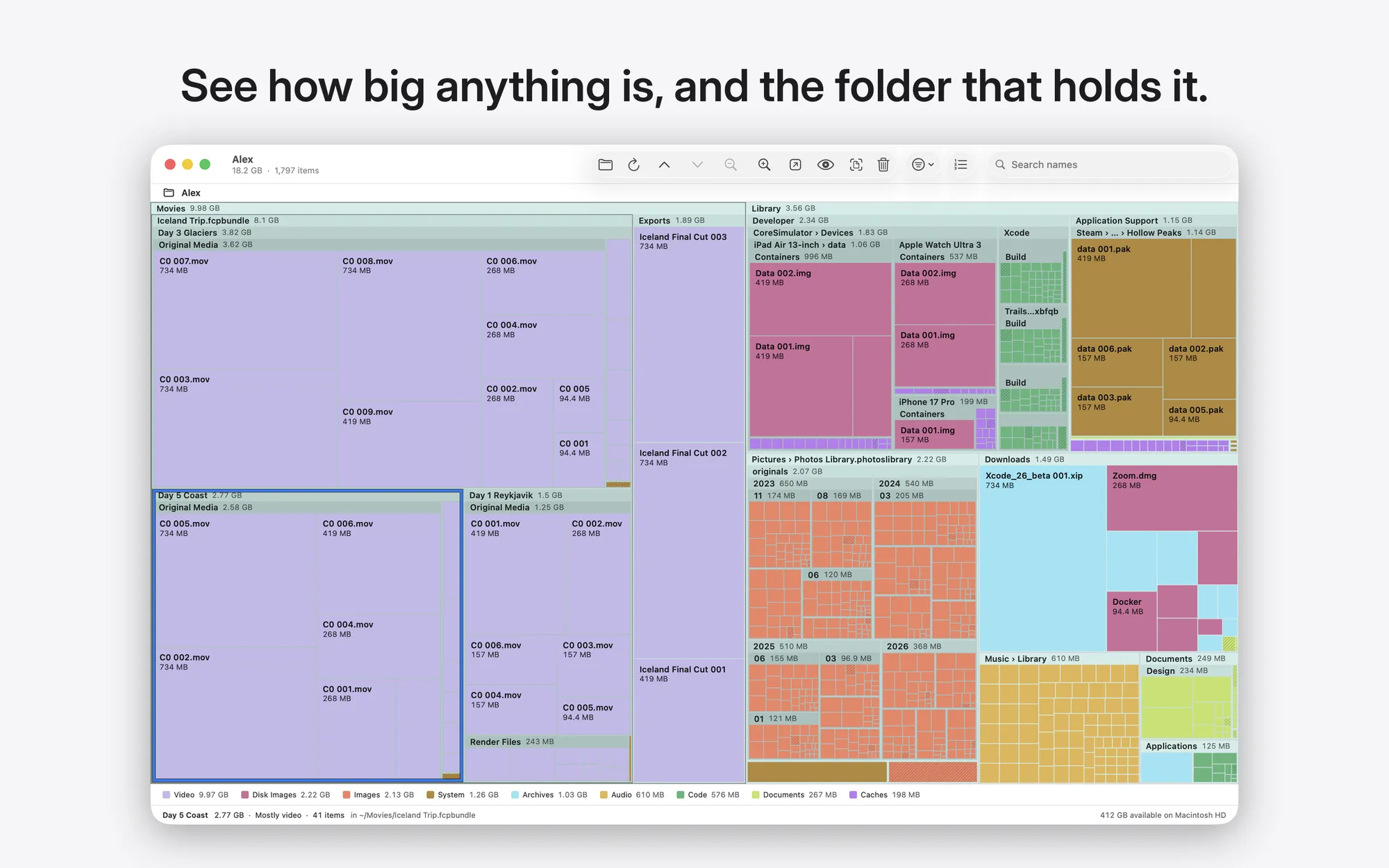
- In Sizewise, choose File > Scan Folder and choose your home folder, or scan your whole disk to see the caches next to everything else.
- Lock a folder with a click to see what deleting it would free. When that’s less than its size, Sizewise shows what keeps the rest, such as copies that share their data.
Sizewise shows where the space is, and you decide what goes. It asks before every move, and moves files only to the Trash, so you can put them back.
Try it on your Mac
Scanning, saving scans and opening scans are free, with no account. A license costs $12.99 USD once, plus tax where it applies, and adds Move to Trash, Compare with Saved Scan… and Show Changes. Sizewise needs macOS Sequoia or later. See pricing and license details.